

Globfone is a free online phone project that you use from the browser. If you are new, this is the shortest route to your first call or message.
Step 1: Create your account
Register with an email address. Your email is verified automatically when you sign in. One account works for both the Free and the Premium side.
Step 2: Complete the three verification steps
- Profile (level 1/3): add your address details. This unlocks longer video chat limits.
- Phone number (level 2/3): verify your number with a 4-digit code sent by an automated call or SMS. This unlocks free SMS.
- Card (level 3/3): verify a payment card through Stripe at no cost. This unlocks free phone calls.
The full process usually takes five to ten minutes. The credibility guide explains each step.
Step 3: Pick a service
- Send an SMS to a phone number.
- Call a mobile or landline from the WebPhone.
- Start a video chat and share the link.
- Share a file directly with a friend.
Step 4: Get more Credits
When your free Credits balance runs low, watch a short ad to receive a Mini-Boost. For regular use, consider Premium.
Need help?
Look at the FAQ, check the service status or write via the contact page.
Tips for new users
- Use a desktop browser for the first verification; it is easier to complete the forms.
- Have your phone ready for the call or SMS that delivers the verification code.
- Read the FAQ for the free Credits limits before you start a long call.
- If you are unsure which tool to use, the Free home shows all of them with a short description.
Why join the project?
The project is maintained by a small team that wants communication to stay open. Feedback, such as confirming that an SMS arrived or reporting a failing route, directly improves the service for everyone.
 The Story of Globfone: From Version 1.0 to Today
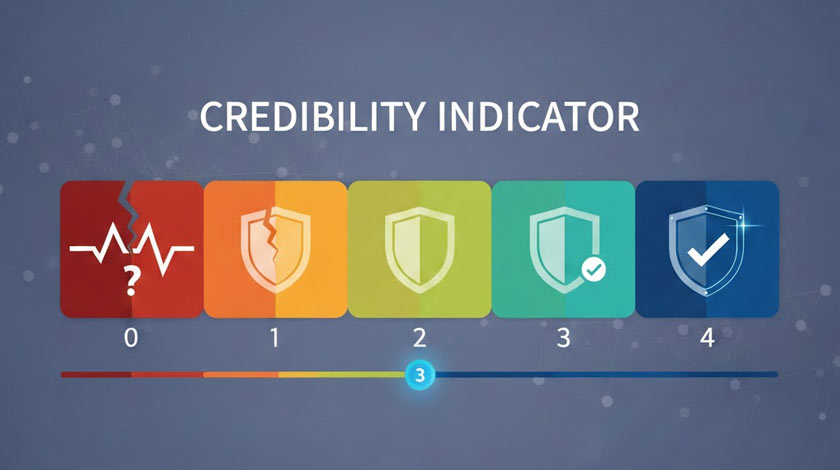 Globfone Credibility System: The Complete User Guide
 Globfone Services at a Glance: Calls, SMS, Video Chat and File Sharing
 Staying in Touch as a Student: How Globfone Helps