

Globfone P2P Chat is a free, browser-based service for quick, private conversations. You create a room, share its link and the other person joins from their own browser. There is nothing to install, and it works on desktop and mobile. The room supports video, audio-only calls, screen sharing and text chat, and you can send files through a linked file-sharing space. This article explains what it offers, how it connects, and when it is the right tool.
What you can do
- Create or join a room with a shared link, optionally protected by a PIN.
- Choose your devices: pick the camera and microphone you want before joining.
- Switch modes between video, audio only and screen sharing during the call.
- Chat in text when the audio is busy or a link needs to be shared.
- Connect a few people at once, well suited to small groups.
- Move files by opening a file-sharing space with the same people.
How it connects
Globfone uses WebRTC, the standard built into modern browsers. A small server helps the browsers find each other (signalling), and then the audio and video go directly between participants. That lowers delay and keeps the media stream private. If a network blocks direct connections, the call automatically falls back to relay servers (TURN) so it stays stable. You can read the details in our beginner guide to peer-to-peer video calls.
Ideas for using it
- Family and friends: catch up face to face without choosing a platform or asking everyone to install an app.
- Remote help: share your screen to guide someone through a computer problem step by step.
- Watching together: share a browser tab or window and talk over it.
- Study groups and small meetings: share notes, go through slides and discuss.
- Quick interviews or catch-ups with someone who does not use your usual conferencing tool.
Tips for a good call
- Use headphones to prevent echo.
- Put a light in front of you rather than behind you.
- Close other apps that use the camera or heavy bandwidth.
- Use a PIN when the room link might be shared widely.
- If the picture freezes, switch to audio only and keep talking.
Privacy in practice
Because the media stream goes directly between participants, it does not pass through a meeting server that records it. Even so, anyone who has the room link (and the PIN, if you set one) can join, so send the link only to the people you invite. A PIN is a simple but effective extra barrier.
Questions
Do I need to install anything?
No. A current Chrome, Edge, Firefox or Safari is enough, on a computer or a phone.
How many people can join?
A few at once. Direct connections work best for small groups; for large meetings a server-based platform is a better fit.
What if I cannot connect?
Check camera and microphone permissions, disable VPNs or strict firewalls briefly and try again. Globfone falls back to relay servers automatically when a direct connection is blocked.
Ready? Open Globfone P2P Chat. Prefer a walkthrough first? Watch the video or read how to start a call.
Who it is for
P2P chat is meant for people who want a conversation without the overhead of accounts, calendars and downloads: relatives who are not technical, a colleague you want to show something to for five minutes, a tutor with a student. If you need a webinar for hundreds of people, a server-based platform is the better choice; for small, private conversations a direct connection is faster and simpler.
Sharing the room safely
- Create a new room for every conversation instead of reusing an old link.
- Send the link in a private message, not in a public channel.
- Use a PIN and share it separately from the link.
- Close the room when you are done so that nobody can join later.
Compared with traditional meeting apps
| Globfone P2P chat | Meeting platforms | |
|---|---|---|
| Installation | None | Often an app or extension |
| Setup | Create a room, share a link | Account, calendar, invitation |
| Group size | A few people | Dozens to hundreds |
| Media path | Direct between browsers | Through the provider's servers |
- Installation
- Globfone P2P chat
- None
- Meeting platforms
- Often an app or extension
- Setup
- Globfone P2P chat
- Create a room, share a link
- Meeting platforms
- Account, calendar, invitation
- Group size
- Globfone P2P chat
- A few people
- Meeting platforms
- Dozens to hundreds
- Media path
- Globfone P2P chat
- Direct between browsers
- Meeting platforms
- Through the provider's servers
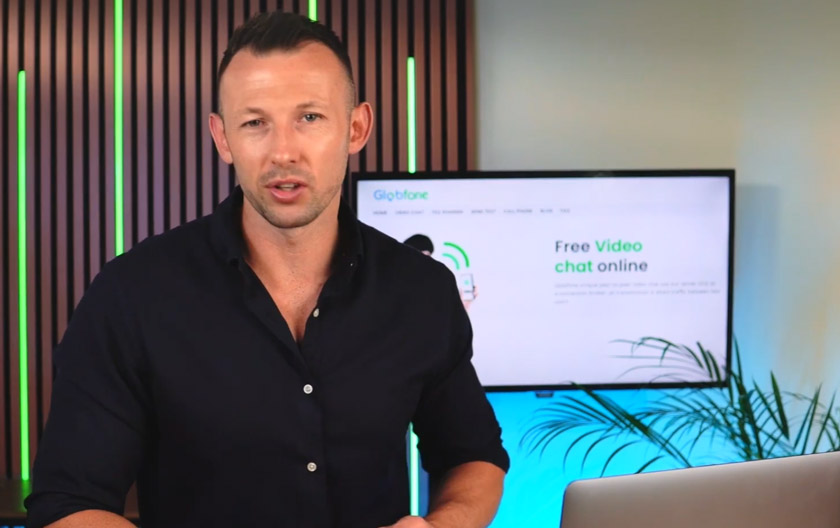 Globfone Video Chat Walkthrough: Watch How a Call Starts
 Peer-to-Peer Video Calls Explained: How They Work and When to Use Them
 How to Start a Video Call on Globfone: A Step-by-Step Guide
 WebRTC: The Technology That Put Calling Inside the Browser