
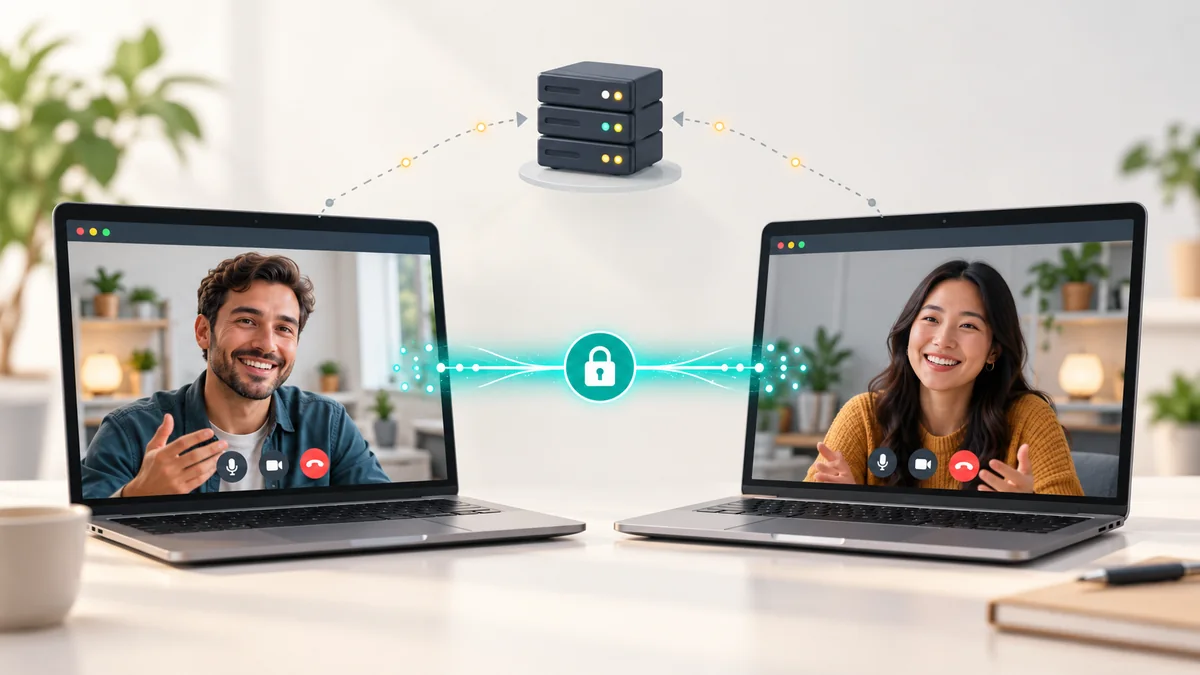
Most video services work like a post office: your video goes to a company's servers, which pass it on to the other person. A peer-to-peer (P2P) chat works more like a phone line between two houses. Once the two browsers have been introduced to each other, audio and video travel directly between them. This article explains what that means in practice, what a server still does, and what P2P can and cannot promise about your privacy.
The short answer
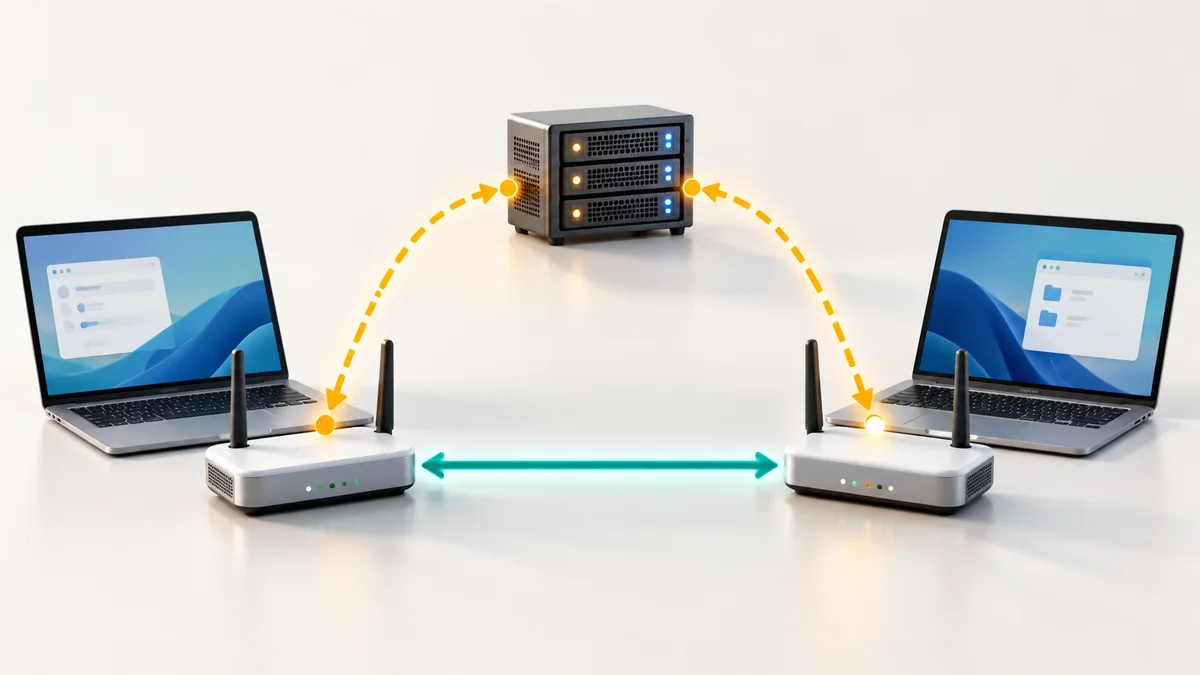
In a P2P chat the content of the conversation, meaning the picture, the voice, the text and any file, is sent from one participant to the other over an encrypted connection. It is not uploaded to an application server, so there is nothing on a server to store, search or hand over later. A server is involved only to make the introduction, and in rare cases to pass encrypted packets along when a direct route is blocked.
Two jobs: introducing and carrying
Every real-time call has to solve two separate problems:
- Introduction (signalling). Your browser and the other person's browser must agree on the basics: which audio and video formats both support, and which network addresses can be tried. They exchange these small messages through a signalling server, normally over a web connection. The messages describe the call; they do not contain it.
- Carrying the media. After the introduction the browsers connect to each other and send the actual audio, video and data. In a P2P chat this path does not go through the application server.
The technology behind this is called WebRTC. It is built into modern browsers, which is why you can start a chat without installing anything.
What the server knows
Being honest about this is part of understanding P2P. A signalling server usually needs to know that a room exists, which browsers are joining it and when. Like any website it also sees technical details such as an IP address in order to answer a request. What it does not receive in a P2P chat is the stream of your conversation.
| Item | Passes through the introduction server? | Sent directly between browsers? |
|---|---|---|
| Your voice and video | No | Yes, encrypted |
| Text messages in the room | No | Yes, encrypted |
| Files you send | No | Yes, encrypted |
| "A room was opened, someone joined" | Yes, to make the introduction | No |
| Network details needed to connect | Yes, briefly | Yes, to reach each other |
- Item: Your voice and video
- Passes through the introduction server?
- No
- Sent directly between browsers?
- Yes, encrypted
- Item: Text messages in the room
- Passes through the introduction server?
- No
- Sent directly between browsers?
- Yes, encrypted
- Item: Files you send
- Passes through the introduction server?
- No
- Sent directly between browsers?
- Yes, encrypted
- Item: "A room was opened, someone joined"
- Passes through the introduction server?
- Yes, to make the introduction
- Sent directly between browsers?
- No
- Item: Network details needed to connect
- Passes through the introduction server?
- Yes, briefly
- Sent directly between browsers?
- Yes, to reach each other
Is the direct connection encrypted?
Yes. WebRTC does not allow unencrypted media. The two browsers set up encryption keys between themselves while connecting, and the audio and video are protected with those keys. Because the keys are agreed by the browsers, a server that merely relays packets cannot read them. That is also true when a relay is used, which is the subject of our guide to STUN, TURN and ICE.
What "not stored on the server" really means
It means the service has no recording of your call, because the call never arrives there. Nothing needs to be deleted afterwards. Globfone P2P chat is built on this model: the content of a chat is not recorded or kept on Globfone servers.
It does not mean the conversation is invisible to the people in it. The other participant can record their screen, take photos of it or save a file you send. Privacy between you and a service is not the same as privacy between you and the person you are talking to.
What the other person can learn
For two browsers to connect directly, each has to learn a network address of the other. In practice that means the other participant's software can see your public IP address, which loosely indicates your internet provider and city. This is true of every direct call, not only Globfone. If it matters, only join rooms with people you trust, or use a VPN. When a relay is used the other person sees the relay's address instead, which is one reason to expect some calls to be routed that way.
Limits you should know
- Group size. In pure P2P every participant sends their video to every other participant. This is excellent for one-to-one calls and small groups and becomes demanding for large meetings.
- Both sides must be online. There is no stored message waiting for later; the chat exists while the browsers are connected.
- Your device is the weak point. A browser extension, a shared screen or a compromised computer can expose a call that the network protected well.
- Quality depends on both connections. There is no server to even out a weak link, so a poor Wi-Fi signal shows up directly.
Practical tips for a private chat
- Create a new room for each conversation and share the link only with the person you want to talk to, ideally in a private message.
- Check that the address bar shows a secure connection before you allow the camera and microphone.
- Close the room when you are finished so that nobody can wander in later with the old link.
- Use headphones in shared spaces, so the other side of the conversation stays between you.
- Do not share passwords, card numbers or one-time codes in any chat, whatever the technology.
Try it yourself
You can create a room in Globfone P2P chat, send the link and start talking with video, audio, text and direct file transfer. If you want the background first, read how peer-to-peer video calls work, compare browser video chat tools or learn about direct file sharing in the browser.
 STUN, TURN and ICE in Plain English: Why Some Calls Connect Directly
 Send Large Files Directly: How Peer-to-Peer Transfer Skips the Cloud
 Peer-to-Peer Video Calls Explained: How They Work and When to Use Them
 Peer-to-Peer File Sharing in the Browser: Fast, Private and Legal