
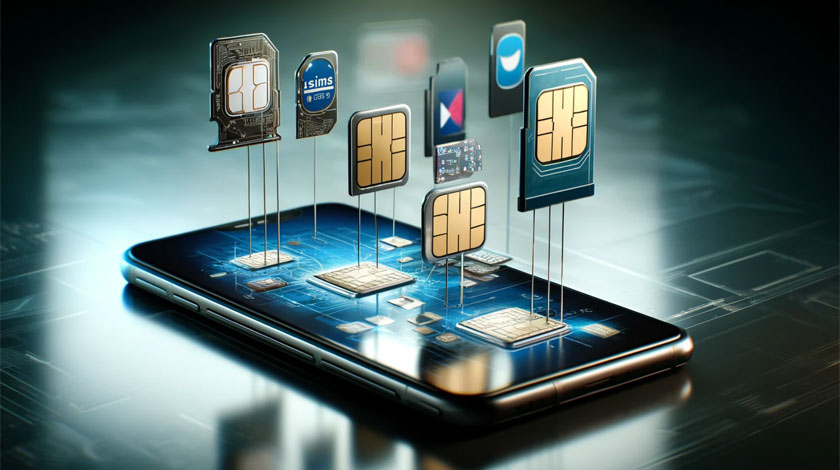
An eSIM is a SIM built into your phone. Instead of inserting a plastic card, you download a profile from your operator, usually by scanning a QR code or using the operator's app. The phone stores the profile in a secure chip and behaves exactly as if a physical SIM were installed. Recent iPhones, Google Pixel phones, Samsung Galaxy models and many others support eSIM, and some models, such as newer iPhones sold in certain countries, have no physical SIM tray at all. For travellers and for anyone who wants two numbers on one phone, it is one of the most practical changes in mobile phones in years.
How an eSIM works
- Your phone has a unique eSIM identifier (EID), a bit like a serial number for the chip.
- You buy a plan from an operator or a reseller, which prepares a profile for your phone.
- You receive a QR code or an activation link. Scanning it makes the phone download the profile from the operator's server over the internet.
- The profile is installed and you choose how the line is used: for calls, messages, mobile data or any combination.
Most phones can store several profiles but use only one or two at the same time, depending on the model.
Advantages
- Switch operators without a shop visit. Activate a new plan in minutes, from anywhere.
- Two numbers on one phone. Keep your home plan and add a local data plan or a work line.
- Cheaper travel. Buy a local or regional data eSIM before you arrive instead of paying roaming fees.
- Less to lose. No tiny card to misplace, damage or forget in another phone.
- Better design. Without a SIM tray manufacturers can make phones more water resistant and use the space for a larger battery.
Limits to know
- Device and operator support. Not every phone or plan offers eSIM; check the settings menu and your operator's page.
- Many travel eSIMs are data-only. You will not get a phone number for ordinary calls or SMS on them.
- Transferring needs steps. Moving an eSIM to a new phone requires the operator or a transfer feature, so do it before you reset the old phone.
- Security. Protect your account with a strong password and two-factor authentication, because SIM-swap fraud targets mobile numbers.
- Battery or damage. If your phone breaks, you cannot move a card to another phone; you need the operator to reissue the profile.
eSIM or physical SIM?
| eSIM | Physical SIM | |
|---|---|---|
| Activation | Minutes, online | Needs a card from a shop or by post |
| Moving to another phone | Needs a transfer or a new profile | Swap the card |
| Several lines | Many profiles stored | One card per line |
| Works on older phones | No | Yes |
| Risk if the phone is lost | Lock the line with the operator | Lock the line with the operator |
- Activation
- eSIM
- Minutes, online
- Physical SIM
- Needs a card from a shop or by post
- Moving to another phone
- eSIM
- Needs a transfer or a new profile
- Physical SIM
- Swap the card
- Several lines
- eSIM
- Many profiles stored
- Physical SIM
- One card per line
- Works on older phones
- eSIM
- No
- Physical SIM
- Yes
- Risk if the phone is lost
- eSIM
- Lock the line with the operator
- Physical SIM
- Lock the line with the operator
Setup checklist
- Confirm your phone is unlocked and supports eSIM.
- Buy a plan from a reputable operator or reseller and read what it includes: data volume, validity, countries and whether voice and SMS are part of it.
- Scan the QR code or follow the app instructions while connected to Wi-Fi.
- Choose which line is used for calls, messages and data.
- Turn off data roaming on your home line when you use a local data eSIM, so that your home operator does not charge you.
Tips for travellers
- Install the eSIM before you leave while you still have a reliable Wi-Fi connection.
- Check the coverage map for the countries on your route; some regional plans do not include every country.
- Keep your home SIM active for verification texts from your bank and for incoming calls.
- Make a note of the plan's validity period: it often starts on activation or on the first connection.
Calls and texts with a data-only eSIM
If your travel eSIM has no phone number, you can still call and text. Use messaging apps, or browser tools such as the Globfone WebPhone for calls to ordinary numbers and browser SMS for texts. A call over data uses little bandwidth, so even a small data plan is enough. Compare costs in cheap international calling options, and if you need a video call with family, a P2P chat room works over the same connection.
Types of eSIM plans
| Plan type | What it offers | Good for |
|---|---|---|
| Home operator eSIM | Your normal plan with voice, SMS and data on a virtual card | Everyday use, replacing a plastic SIM |
| Local travel eSIM | Data (sometimes voice) for one country | A long stay or business trip in one place |
| Regional eSIM | Data valid in a group of countries | Trips across several countries |
| Global eSIM | Data in many countries, usually at a higher price per gigabyte | Frequent travellers who want one profile everywhere |
- Plan type: Home operator eSIM
- What it offers
- Your normal plan with voice, SMS and data on a virtual card
- Good for
- Everyday use, replacing a plastic SIM
- Plan type: Local travel eSIM
- What it offers
- Data (sometimes voice) for one country
- Good for
- A long stay or business trip in one place
- Plan type: Regional eSIM
- What it offers
- Data valid in a group of countries
- Good for
- Trips across several countries
- Plan type: Global eSIM
- What it offers
- Data in many countries, usually at a higher price per gigabyte
- Good for
- Frequent travellers who want one profile everywhere
Is your phone compatible?
The easiest check is to dial *#06# and look for an EID number in the list: if your phone shows one, it has an eSIM chip. On an iPhone, open Settings, General, About and look for a Digital SIM or EID entry; on Android look in Settings, About phone, SIM status. Remember that the phone must also be unlocked from the operator it was bought from, otherwise it cannot accept a profile from another provider.
Using two numbers: a typical setup
The most useful travel setup is a dual-SIM arrangement: keep your home line active for calls and SMS (to receive bank codes and calls from family) and add a local data eSIM for internet. Then set mobile data to use the local eSIM and turn off data roaming on the home line. You pay local data prices and still receive your home messages. For outgoing calls you can use a browser calling tool such as Globfone's WebPhone on the local data connection.
Moving an eSIM to a new phone
- Recent iPhones and many Android phones have a transfer function in the settings that moves the eSIM from the old phone to the new one directly.
- If your operator does not support transfer, you must ask for a new QR code or activate it in the operator's app.
- Do the transfer before you reset or sell the old phone, and check that calls work on the new device before wiping the old one.
Security and SIM-swap fraud
Criminals sometimes convince an operator to move your number to a SIM they control and then intercept verification codes. Protect yourself by setting a PIN or a password with your operator, using authenticator apps instead of SMS codes where possible and reacting immediately if your phone suddenly loses signal without a reason. If your phone is stolen, call your operator to suspend the line; with an eSIM the profile cannot be removed physically, but the thief still needs your screen lock to use it.
If activation fails
- Connect to a stable Wi-Fi network; the profile is downloaded from the internet.
- QR codes can usually be used once; ask for a new one if the first attempt was interrupted.
- Check the date and time settings and restart the phone.
- Confirm that the phone is not locked to another operator.
- Contact the plan provider with the activation code and the error message.
Business and other uses
Companies use eSIM to give employees a second line without handling cards, and manufacturers use it to deliver connected devices that switch operators automatically. In the Internet of Things, an eSIM allows devices to be activated remotely after they are installed; see IoT tools and technologies.
Frequently asked questions
Can I have more than one eSIM?
Yes, most phones store several profiles, but only one or two are active at the same time.
Does eSIM make my phone cheaper to run?
The technology itself does not, but it makes it easy to switch to a cheaper operator or to buy a local data plan when you travel.
Can I use WhatsApp or calls on a data-only eSIM?
You can use any internet-based service. For calls to ordinary numbers use a browser tool; for SMS see browser SMS.
 5G and GSM Networks: What Changes for Calls, Texts and Data
 IoT Development Tools and Technologies: A Practical Overview
 OnePlus 8 Revisited: Specs, Strengths and Whether It Is Still Worth Using
 How to Turn On RCS Chats in Google Messages (Android)